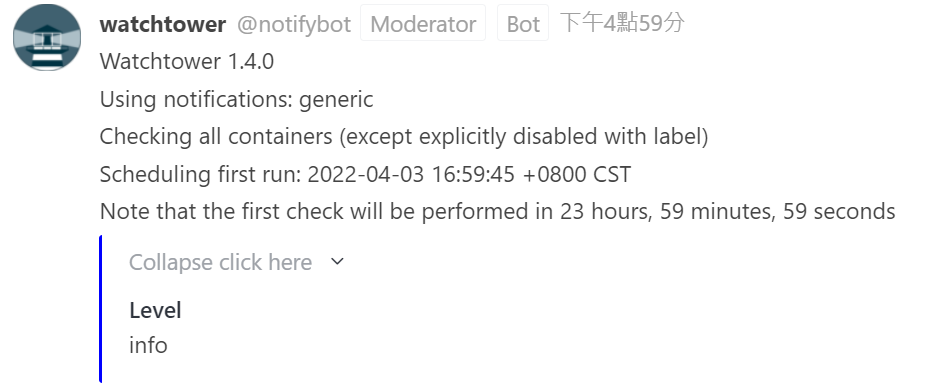
Rocket.Chat integrate notifications via an Incoming Webhook in Gitea
use go template make json payload to rocket.chat
version: '3'

services:
  watchtower:
    container_name: watchtower
    image: containrrr/watchtower
    restart: unless-stopped
    environment:
      - 'WATCHTOWER_NOTIFICATION_TEMPLATE={{if .}}{"message":"{{range .}}{{.Message}}\n{{end}}","level":"{{ (index . 0).Level }}"}{{end}}'
      - WATCHTOWER_NOTIFICATIONS=shoutrrr
      - WATCHTOWER_NOTIFICATION_URL=generic://<webhook_url>
    volumes:
      - /var/run/docker.sock:/var/run/docker.sock
If you rocket chat server host on http not https, add ?disableTLS=yes in template like below
- WATCHTOWER_NOTIFICATION_URL=generic://<webhook_url>?disableTLS=yes
- Login Rocket.Chat with Administrator
- Go to Adminisration -> Integrations -> Create a new Incoming webhook
- Set "Enabled" option to True
- Select Channel/User that you want to post notification
- Select an Account to post message.
- Copy/Paste wachtower-rocketchat.js to rocketchat-gitea-hook/master/gitea-rocketchat.hooks.js) to Scripts Block in Rocket.Chat.
- Set "Script Enabled" Option to True
- Save the integration first, then you can copy "Webhook URL" replate <webhook_url>.